

Software Development · November 13, 2026
Your Software Isn't Broken, So Why Is It Costing You Millions?
The Hidden Business Impact of Outdated Technology and Why Software Modernization Matters
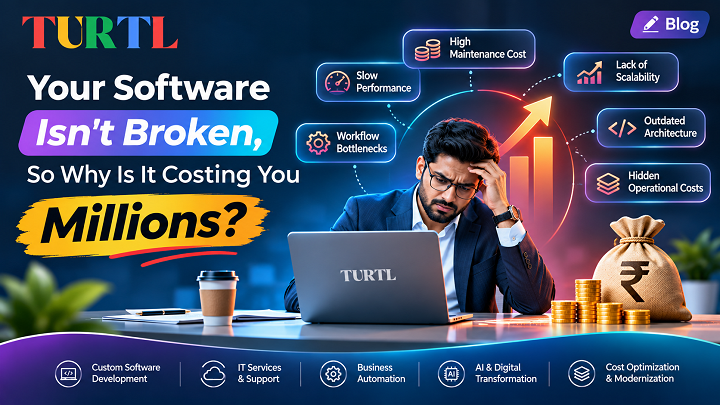
Your software starts every morning. Employees can log in, customers can place orders, and business reports still appear on the screen.
Everything seems normal.
So why are maintenance expenses increasing? Why does every new feature take longer to implement? Why do employees depend on manual spreadsheets when the company already has software?
These questions reveal one of the most overlooked challenges in business technology: software does not need to stop working to become expensive.
Many businesses continue using applications developed years ago because replacing them appears risky or unnecessary.
However, outdated technology can create hidden expenses through maintenance, reduced productivity, integration problems, and security vulnerabilities.
For larger organizations, these accumulated costs can become substantial. Whether they reach millions depends on the size and complexity of the operation.
Understanding these hidden costs is the first step toward making better technology decisions.
1. The Difference Between Working Software and Effective Software
A functioning application is not necessarily an efficient application.
Imagine a distribution company using an older inventory management system.
The system records stock levels and generates invoices, but it cannot connect directly to modern e-commerce platforms or delivery tracking services.
Employees must export information, update spreadsheets, and manually transfer data between departments.
The application technically works.
But the organization is paying for the same information to be entered, checked, and managed repeatedly.
This is where outdated software begins affecting operational efficiency.
An effective business system should support current workflows, integrate with appropriate tools, and remain maintainable as requirements evolve.
2. Five Hidden Costs of Outdated Business Software
1. Increasing Maintenance Expenses
Older applications may rely on obsolete programming languages, unsupported libraries, or specialized infrastructure.
Finding developers who understand these systems can become difficult and expensive.
Even minor updates may require significant investigation because the architecture is poorly documented or tightly coupled.
2. Lost Employee Productivity
Manual workarounds are among the most expensive consequences of poorly integrated software.
Employees may spend hours transferring information, resolving duplicate records, or preparing reports that modern applications could generate automatically.
These inefficiencies affect productivity across departments.
3. Security and Compliance Risks
Unsupported software may no longer receive security updates.
Legacy applications can also lack modern authentication, access controls, monitoring, or encryption capabilities.
Not every older system is insecure, but unsupported components and unaddressed vulnerabilities increase operational risk.
The U.S. Government Accountability Office has highlighted security and support concerns associated with critical legacy technology in its research on modernization.
4. Limited Integration Capabilities
Businesses increasingly depend on connected platforms such as CRM systems, ERP software, payment gateways, cloud services, and marketing tools.
Legacy applications may struggle to exchange data reliably with newer systems.
This creates disconnected workflows and prevents teams from accessing consistent business information.
5. Slow Business Innovation
When adding a feature requires months of development, businesses can miss opportunities.
A company may want to introduce mobile access, automated reporting, or customer self-service but discover that its existing architecture makes these changes difficult.
The resulting delay can affect competitiveness and customer experience.
3. What Is Technical Debt?
Technical debt refers to the future cost of software design or implementation choices that make ongoing development and maintenance more difficult.
It can result from rushed implementation, outdated dependencies, insufficient testing, poor documentation, or architecture that no longer fits the business.
Some technical debt is intentional and manageable.
The problem arises when organizations repeatedly postpone improvements without understanding the long-term consequences.
For example, a company may delay replacing a fragile integration because it still works.
Over time, multiple services become dependent on that integration, making future changes increasingly complex.
The cost of maintaining the system gradually increases.
A technical debt review helps identify which issues should be addressed first and which can safely remain unchanged.
4. Six Warning Signs Your Business Needs Software Modernization
Your organization should consider a modernization assessment when:
- Updates take too long: Simple improvements require extensive development and testing.
- Systems cannot communicate: Teams rely on manual exports and duplicate data entry.
- Maintenance costs keep rising: More resources are spent fixing existing problems than improving business capabilities.
- Security updates are unavailable: Important application components are unsupported.
- Performance declines as usage grows: The architecture struggles to accommodate additional users or transactions.
- Employees avoid the system: Staff rely on spreadsheets or unofficial tools because the application no longer supports their workflows.
A single warning sign does not automatically justify a complete replacement, but several recurring issues indicate that a detailed assessment may be valuable.
5. Does Modernization Mean Rebuilding Everything?
No.
One of the biggest misconceptions about software modernization is that businesses must discard their existing systems.
A complete rebuild is only one possible strategy.
Rehosting
Move an existing application to a different infrastructure environment with limited code changes. This can address certain hosting concerns, although it does not automatically resolve architectural limitations.
Replatforming
Make targeted improvements to the runtime, database, or infrastructure while retaining much of the application's existing functionality.
Refactoring
Improve the internal code structure without changing intended business behavior. Refactoring can make applications easier to maintain and extend.
Re-architecting
Redesign specific components or application boundaries to improve scalability, reliability, or integration capabilities.
Replacing Selected Modules
Gradually replace the parts of an application that create the greatest operational problems. A phased approach can help organizations preserve essential workflows while reducing migration risk.
6. How to Calculate the Cost of Keeping Old Software
Before investing in modernization, businesses should evaluate the financial impact of their current systems.
A practical assessment may include:
- Annual maintenance cost: Development support, infrastructure, licensing, and technical troubleshooting.
- Employee productivity losses: Time spent on repetitive manual activities.
- Incident-related expenses: Downtime, recovery work, and operational disruption.
- Integration expenses: Costs associated with maintaining outdated connectors or duplicate systems.
- Opportunity costs: Business improvements delayed by technical limitations.
For example, if employees spend 300 hours per month completing avoidable manual tasks, the annual impact is 3,600 working hours.
Multiplying that figure by the organization's fully loaded labor cost provides an estimated financial value of the time consumed. It does not automatically mean all those costs can be recovered.
Businesses should compare realistic savings and benefits against development costs, migration complexity, training needs, and operational risk.
7. A Safer Approach to Legacy Application Modernization
A successful modernization project begins with understanding the existing environment.
- Step 1: Application Assessment. Review source code, databases, integrations, performance, security, and business dependencies.
- Step 2: Business Requirements. Identify the workflows, features, and user experiences that need improvement.
- Step 3: Modernization Roadmap. Prioritize high-value changes and define a phased implementation strategy.
- Step 4: Architecture and Development. Modernize selected components using technologies appropriate to the organization's needs.
- Step 5: Testing and Data Validation. Verify functional behavior, security, performance, data consistency, and integrations.
- Step 6: Controlled Deployment. Release improvements gradually with monitoring, rollback procedures, and user training.
- Step 7: Ongoing Support. Continue maintenance, performance reviews, and improvements as business needs evolve.
8. How TurtlTech Supports Software Modernization
TurtlTech helps businesses assess existing technology and plan software improvements based on actual operational requirements.
Our development capabilities include:
- Legacy application modernization.
- Custom business software development.
- CRM and enterprise application development.
- API development and system integration.
- Cloud-ready application architecture.
- Application testing and maintenance.
- Workflow automation and business process improvements.
We believe modernization should solve a clear business problem, not simply replace old technology with newer technology.
The right strategy depends on your business goals, existing systems, available resources, and acceptable level of risk.
Frequently Asked Questions
When should a business replace outdated software?
Replacement may be appropriate when an application can no longer meet essential business requirements, is difficult to secure or maintain, or costs more to sustain than a suitable alternative.
Is software modernization expensive?
Costs depend on application complexity, data requirements, integrations, security controls, and project scope. Phased modernization can help distribute investment and manage risk.
Can legacy applications integrate with modern cloud platforms?
Often, yes. APIs, integration services, and architectural improvements can connect older systems with modern cloud applications, depending on technical constraints.
How long does legacy software modernization take?
Timelines range from focused updates to multi-phase programs lasting many months. A realistic estimate requires an assessment of the existing application.
Final Thoughts: The Costliest Software Is Sometimes the Software You Never Replace
Keeping an existing application may feel safer than investing in modernization.
But software decisions should consider long-term operating costs, security, efficiency, and business requirements.
Sometimes a targeted update is enough. Other situations require deeper architectural improvements.
The question is not whether your existing software still runs. The question is whether it still works effectively for your business.
Ready to Modernize Your Business Software?
Discuss your current application challenges with TurtlTech.
Our team can help evaluate your requirements and explore practical software development and modernization approaches.
- Explore Custom Software Development: https://turtltech.com/custom-software-development.html
- Email: info@turtltech.com
- Phone: +91 9958040595
TurtlTech | Technology Designed Around Your Business.