

Software Development · November 23, 2026
Custom Software vs Off-the-Shelf: Which Is Right for Your Business in 2026?
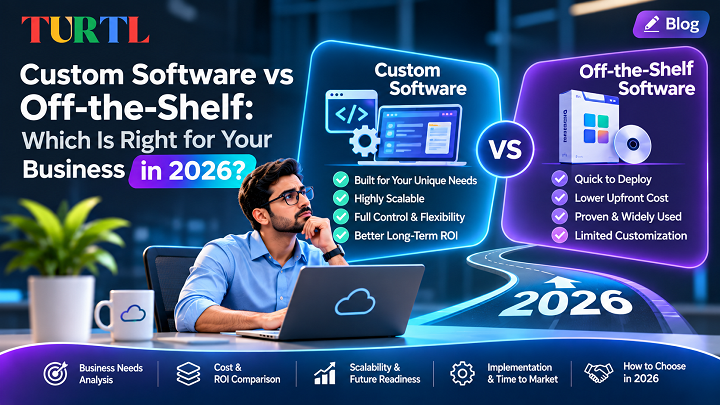
Choosing the right software can significantly influence how efficiently your business operates, manages customers and handles day-to-day activities.
Today, businesses have more technology options than ever. From ready-made SaaS platforms to fully customized business applications, selecting the right solution is no longer just a technical decision. It is a business decision that affects productivity, operating costs, customer experience and long-term growth.
But one important question remains:
Should you invest in custom software development or choose an off-the-shelf software solution?
Both options have their advantages. Ready-made software can help businesses get started quickly, while custom software provides greater flexibility and control over specific business processes.
However, the right choice depends on your business model, operational requirements, budget, integration needs and future goals.
In this guide, we will explain the differences between custom software vs off-the-shelf software, compare their costs and benefits, and help you decide which approach is right for your business in 2026.
Quick Answer: Custom Software vs Off-the-Shelf
Custom software is generally a better fit for businesses with unique workflows, specialized requirements, complex integrations or long-term scalability needs.
Off-the-shelf software is often more suitable for businesses that need standard features, quick implementation and lower initial investment.
The right decision depends on how well the software supports your business requirements, not simply on its purchase price.
What Is Custom Software Development?
Custom software development is the process of designing and building software specifically around the requirements of an individual business.
Unlike ready-made applications, custom software is developed according to your organization's workflows, business objectives, users and technical requirements.
For example, a logistics company may need a centralized platform to manage orders, delivery operations, drivers, tracking, payments and customer communication.
A standard application may provide some of these features, but it might not support the company's exact operational requirements.
A custom business software solution can bring these processes together within one application.
Common examples of custom software include:
- Customer Relationship Management (CRM) systems.
- Enterprise Resource Planning (ERP) software.
- Inventory and warehouse management systems.
- Healthcare management applications.
- Business automation platforms.
- Custom billing and accounting systems.
- Employee management software.
- Customer and vendor portals.
Businesses looking for greater flexibility and control can explore TurtlTech's custom software development services.
What Is Off-the-Shelf Software?
Off-the-shelf software is a pre-built application designed for a broad range of users and businesses.
These applications generally provide standardized features that organizations can start using through subscriptions, licensing or one-time purchases.
Businesses do not need to develop the entire application themselves. They can purchase access, configure available settings and begin using the product.
Common examples include:
- Ready-made CRM platforms.
- Accounting and billing applications.
- Project management tools.
- Email marketing platforms.
- HR and payroll applications.
- Inventory management software.
- Customer support applications.
- Website and content management systems.
Off-the-shelf applications are useful when a business needs common functionality without investing in a complete development project.
However, customization, integrations and advanced features may depend on the software provider's available plans and capabilities.
Custom Software vs Off-the-Shelf Software: Key Differences
Let's compare both software development approaches across important business requirements.
| Comparison Factor | Custom Software | Off-the-Shelf Software |
|---|---|---|
| Initial Investment | Generally higher | Generally lower |
| Development Time | Requires planning and development | Usually ready to use |
| Customization | Designed around your needs | Limited by available features |
| Business Workflow | Tailored to your processes | May require process changes |
| Scalability | Can be planned around growth | Depends on vendor plans |
| Integrations | Can support required integrations | Depends on available APIs |
| Data Control | Can be architected around your requirements | Depends on vendor policies |
| Maintenance | Your team or development partner manages it | Usually managed by the vendor |
| Licensing | Depends on ownership and agreement | Subscription or license fees |
| Flexibility | Greater control over future changes | Depends on vendor roadmap |
There is no universal winner. Your business requirements should determine which solution makes more sense.
1. Cost Comparison: Which Software Is More Affordable?
Cost is one of the first considerations when choosing business software.
At first glance, off-the-shelf software appears more affordable because businesses can start with a monthly or annual subscription.
Custom software development generally requires a larger initial investment because it involves planning, design, development, testing and deployment.
However, comparing only the initial price can lead to the wrong decision.
Custom Software Costs
A custom software project may involve:
- Requirement analysis and planning.
- UI/UX design and architecture.
- Frontend and backend development.
- Database development.
- Third-party API integrations.
- Quality assurance and testing.
- Cloud hosting and deployment.
- Ongoing maintenance and upgrades.
The total investment depends on the application's complexity, functionality, technology and development requirements.
Off-the-Shelf Software Costs
Ready-made software may include:
- Monthly or annual subscriptions.
- Per-user licensing.
- Premium feature charges.
- Integration fees.
- Additional storage charges.
- Customization costs.
- Data migration and training expenses.
These costs can increase as your team grows or your requirements change.
Which Should You Choose?
If your business needs basic functionality, off-the-shelf software may provide better initial value.
However, when your organization depends on specialized workflows, extensive integrations or a growing number of paid user licenses, custom development may provide better long-term value.
Always compare the total cost of ownership over three to five years rather than considering only the initial expense.
2. Customization and Business Requirements
Every business operates differently.
A standard CRM application may work perfectly for one organization but become restrictive for another that follows a different sales process.
Similarly, a ready-made inventory application may support basic stock tracking but lack the specific warehouse, approval or reporting functionality your business requires.
Custom software addresses this problem by developing functionality around your actual business requirements.
With custom software, you can define:
- User roles and permissions.
- Business-specific workflows.
- Customized dashboards and reports.
- Automated approval processes.
- Customer management features.
- Third-party integrations.
- Advanced business logic.
Off-the-shelf software typically offers predefined functionality with configuration options.
Winner for flexibility: Custom Software.
It is particularly valuable when your business processes differentiate you from competitors.
3. Scalability: Can Your Software Grow With Your Business?
Business growth often brings additional complexity.
You may hire more employees, expand into new locations, increase your customer base or introduce new products and services.
Your software should be capable of supporting these changes.
Custom software can be architected with future expansion in mind. Businesses can plan additional modules, user roles, integrations and infrastructure based on expected requirements.
Ready-made software can also scale, but the available features and pricing may depend on the provider's subscription plans and technical limitations.
For example, a startup may initially need a simple customer management application. As the company grows, it may require advanced reporting, automated workflows, multiple departments and integrations with other systems.
A scalable custom solution can accommodate these evolving requirements when designed and maintained appropriately.
Winner for business-specific scalability: Custom Software.
4. Integration With Existing Business Systems
Modern organizations often use multiple software applications to manage their operations. These may include:
- CRM and ERP platforms.
- Payment gateways.
- Accounting applications.
- Inventory management systems.
- Marketing automation tools.
- Customer support platforms.
- Mobile applications.
- Cloud infrastructure.
When these systems operate independently, employees may need to enter the same information multiple times. This creates unnecessary manual work and increases the possibility of errors.
Custom software development allows businesses to build integrations using APIs and other supported communication methods.
For example, when a customer places an order, an integrated system could automatically update inventory, generate an invoice and notify the appropriate department.
Off-the-shelf applications also support integrations, but the available connections depend on their APIs, pricing plans and provider restrictions.
Businesses with complex integration requirements should evaluate this factor carefully before selecting a solution.
5. Security and Data Ownership
Business applications often handle sensitive information, including customer details, financial records, employee information and internal business data. Security should therefore be an essential part of every software decision.
Custom software allows organizations to plan authentication, access permissions, encryption, audit logging and security controls according to their specific requirements.
However, custom development does not automatically make software more secure. Security depends on architecture, implementation, testing, infrastructure and ongoing updates.
Off-the-shelf software providers generally manage application security and infrastructure, but businesses must review their security policies, data handling practices, access controls and compliance commitments.
Before making a decision, consider:
- Who controls your business data?
- What access permissions are available?
- How are sensitive records protected?
- Are security updates provided?
- Can you export your information?
- What happens if you change providers?
- Who is responsible for security maintenance?
For additional protection, businesses should consider professional cybersecurity and application security services as part of their software strategy.
6. Maintenance and Technical Support
Software development does not end when an application goes live. Every application needs maintenance, testing, updates and technical support.
With custom software, your organization or development partner is responsible for managing maintenance, fixing bugs, improving performance and implementing new requirements.
With off-the-shelf applications, the provider generally manages core updates, bug fixes and infrastructure maintenance. However, businesses still need to manage configurations, subscriptions, integrations and user support.
Before selecting custom development, make sure you have a realistic maintenance and support plan.
Before purchasing ready-made software, understand the vendor's support commitments, upgrade policy and pricing structure.
7. Implementation Time: Which Solution Is Faster?
Implementation time can directly affect business operations.
Off-the-shelf software is generally faster to deploy because its core functionality has already been developed. Businesses can configure the application, import data, train employees and begin using it.
Custom software requires additional steps, including:
- Business requirement analysis.
- Technical planning and architecture.
- UI/UX design.
- Frontend and backend development.
- Integrations and database setup.
- Quality assurance and testing.
- Deployment and training.
The timeline depends on the project's scope and complexity. A small custom application may be delivered relatively quickly, while a large enterprise platform may require a longer development cycle.
For organizations that need functionality immediately, ready-made software may be the practical choice.
For organizations with requirements that cannot be supported properly by available products, investing in custom development may be worthwhile.
When Should You Choose Custom Software?
Custom software is worth considering when your organization has requirements that standard applications cannot efficiently support. Here are some common situations.
- 1. Your business has unique workflowsYour operations depend on specific approval rules, customer processes or internal business logic.
- 2. Existing software creates manual workEmployees regularly use spreadsheets, duplicate data or perform repetitive tasks because your current software lacks important functionality.
- 3. You need multiple integrationsYour business depends on several applications that need to communicate within one centralized environment.
- 4. You need advanced automationYour organization wants to automate complex workflows, reporting, customer communication or operational activities.
- 5. Your software must support future expansionYou need more flexibility over functionality, infrastructure, integrations and future improvements.
- 6. Your business needs a unique digital productYou are building a SaaS platform, marketplace, customer portal or specialized application that represents your own business offering.
In these situations, custom software development can help create a solution that better matches your operational needs.
When Should You Choose Off-the-Shelf Software?
Custom software is not necessary for every organization. Ready-made software is often the better choice when:
- Your requirements are standard.
- You need software immediately.
- Your initial development budget is limited.
- Existing products already meet your requirements.
- You do not need extensive customization.
- Your business prefers vendor-managed upgrades and support.
For example, a small company may not need to develop its own accounting system when established accounting products already provide everything it requires.
Choosing an existing product can save development effort and allow the business to focus on its core activities.
The Hybrid Approach: Combining Custom and Ready-Made Software
In 2026, businesses do not necessarily have to choose only one approach. A hybrid software strategy combines ready-made applications with custom-built functionality.
For example, an organization might use:
- A ready-made accounting application for financial management.
- A CRM platform for customer relationships.
- Custom software for business-specific operations.
- API integrations to connect different systems.
- An internal dashboard for centralized reporting.
This approach allows companies to use established software for standard business requirements while developing custom functionality where it provides additional value.
It can also reduce unnecessary development costs and simplify technology management.
For many growing organizations, the hybrid approach deserves serious consideration.
How to Choose the Right Software Development Partner
Selecting the right development partner is just as important as selecting the right software approach. Before starting a custom software project, evaluate the development company's technical expertise, project management process and ability to understand your business requirements.
Consider these important factors:
- Business Understanding: The development team should understand your operational challenges before recommending a technical solution.
- Technical Expertise: Evaluate experience with frontend development, backend systems, databases, cloud platforms and API integrations.
- Security Practices: Check how the company approaches application security, testing, access control and data protection.
- Development Process: Look for a structured process that includes planning, development milestones, quality assurance and deployment.
- Post-Launch Support: Confirm how maintenance, bug fixes, monitoring and future improvements will be handled.
A reliable development partner should focus on solving your business problems rather than simply delivering code.
Why Businesses Choose TurtlTech for Custom Software Development
At TurtlTech, we understand that every organization has different operational requirements, technology challenges and growth objectives.
Our approach to custom software development starts with understanding your business rather than forcing you into a predefined software package. We help businesses plan, develop, integrate and maintain digital solutions based on their requirements.
Our development capabilities include:
- Custom software and business applications.
- Custom web application development.
- Frontend and backend development.
- API and third-party integrations.
- Database architecture and development.
- Application modernization.
- Quality assurance and testing.
- Ongoing technical support.
We follow a structured development process:
- Discovery & Scoping: Understanding business requirements, technical constraints and project objectives.
- Development: Building software through an iterative process with reviewable milestones.
- QA & Testing: Validating functionality, performance and reliability before deployment.
- Launch & Support: Deploying the application and supporting ongoing improvements.
Explore our custom software development services to understand how we approach business-specific software projects.
You can also explore our web development services and application development capabilities.
Frequently Asked Questions (FAQs)
1. What is the difference between custom software and off-the-shelf software?
Custom software is developed specifically for a business's requirements, workflows and objectives. Off-the-shelf software is pre-built for a wider audience and provides standardized functionality.
2. Is custom software better than off-the-shelf software?
Neither option is universally better. Custom software is more suitable for specialized requirements and complex workflows, while off-the-shelf software is useful for standard business needs and faster deployment.
3. Is custom software more expensive?
Custom software generally involves a higher initial investment because it requires planning, design, development and testing. However, businesses should compare long-term ownership costs, subscriptions, integrations and productivity rather than just initial prices.
4. How long does custom software development take?
The timeline depends on the functionality, complexity, integrations and testing requirements. Smaller projects may take a few weeks, while larger applications can require several months.
5. Can custom software integrate with existing applications?
Yes. Custom software can integrate with compatible third-party applications using APIs and other integration methods. The available options depend on the systems involved.
6. Is custom software suitable for small businesses?
Yes. Small businesses can benefit from custom software when they have specific operational requirements that existing applications cannot efficiently support. A focused MVP can help control initial development scope.
7. Can businesses combine SaaS and custom software?
Yes. A hybrid approach allows businesses to use ready-made applications for standard operations and custom software for specialized workflows, dashboards and integrations.
8. What industries benefit from custom software development?
Healthcare, logistics, manufacturing, retail, finance, education, e-commerce and professional services can all benefit from custom software when their operational requirements justify it.
9. What should I check before purchasing off-the-shelf software?
Evaluate its pricing, functionality, customization options, integration support, data portability, security policies, scalability and ongoing vendor support.
10. How do I get started with a custom software project?
Start by identifying the business problem, documenting essential features, defining your target users and setting project priorities. Then discuss the requirements with an experienced software development team.
Final Thoughts: Which Software Is Right for Your Business in 2026?
The decision between custom software vs off-the-shelf software should be based on your business requirements, not technology trends alone.
Ready-made applications can provide a practical and affordable solution for standard business needs. Custom software can provide greater flexibility and control when your organization has specialized workflows, complex integrations or long-term development requirements.
A hybrid approach can also provide the advantages of both.
Before making a decision, evaluate the total cost of ownership, functionality, scalability, security and future support requirements.
The best software is not necessarily the most expensive or most advanced. It is the software that solves your business problems and supports your growth.
Looking for a technology solution built around your business requirements?
Talk to TurtlTech about your next software project.
Contact TurtlTech to discuss your requirements and explore the right development approach for your business.